Every booking in one list
What is booked, who is on it, where it runs and what it came to.
No digging back through email for a confirmation from four months ago.
Your privacy
We use a few cookies to make the site work. We also count page views so we can see which courses people find useful. That counting is anonymous, it stays with us, and you can switch it off under Manage choices. Nothing for Google Analytics or advertising runs until you choose.
The same applies on our eLearning platform at acadame-online.com.
You can change this whenever you like from the footer of any page. Read our privacy and cookie policy

Client Console
The Client Console is for the person who does the booking. All of it in one place: who is on what, which certificates have landed, and what is about to run out.
Not open yet. We are building it now.
Tell me when it opensAccounts are not open yet. Nothing on this page will ask you for a password.
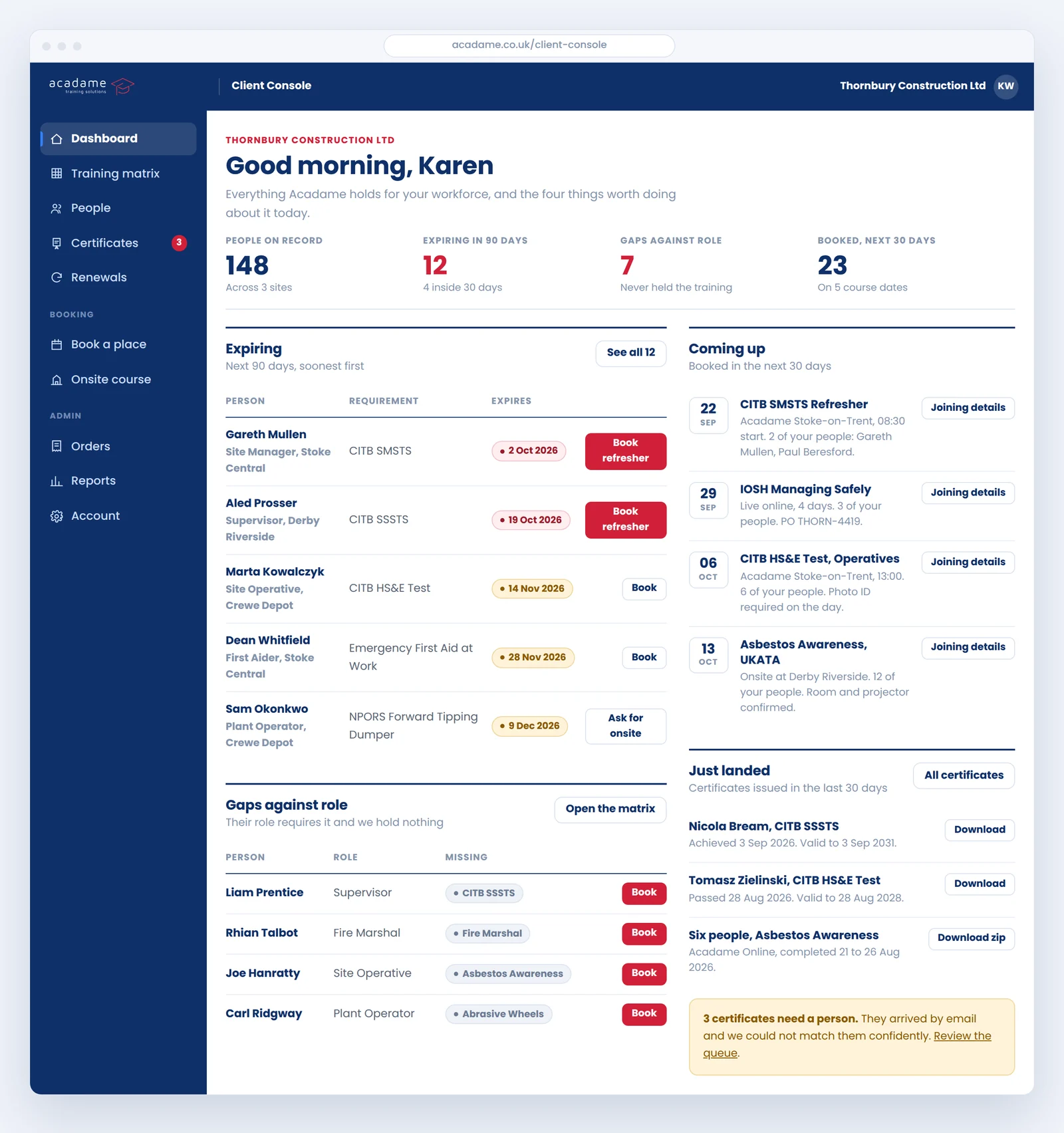
Every person you have put through us, against the training their job actually needs. Green is in date, amber is running out, red has lapsed, grey is missing and blue is already booked.
No cell is ever typed in. It is worked out from the records we hold, so it cannot quietly go out of date the way a spreadsheet does.
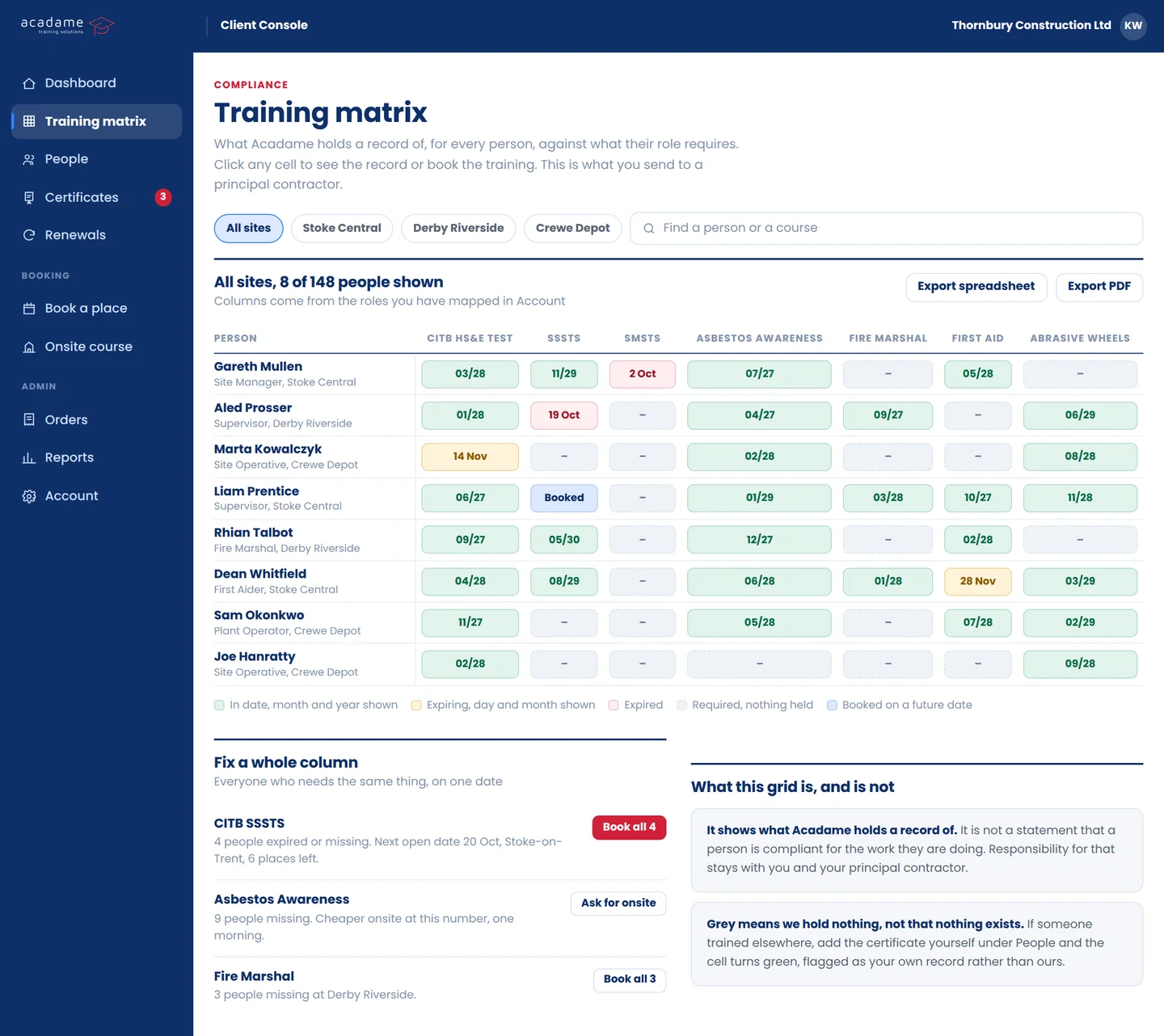
Set your own horizon, thirty days or a year, and see everything falling due inside it with the course that renews each one.
One digest a month rather than an email per person, because an email per person is how people turn alerts off.
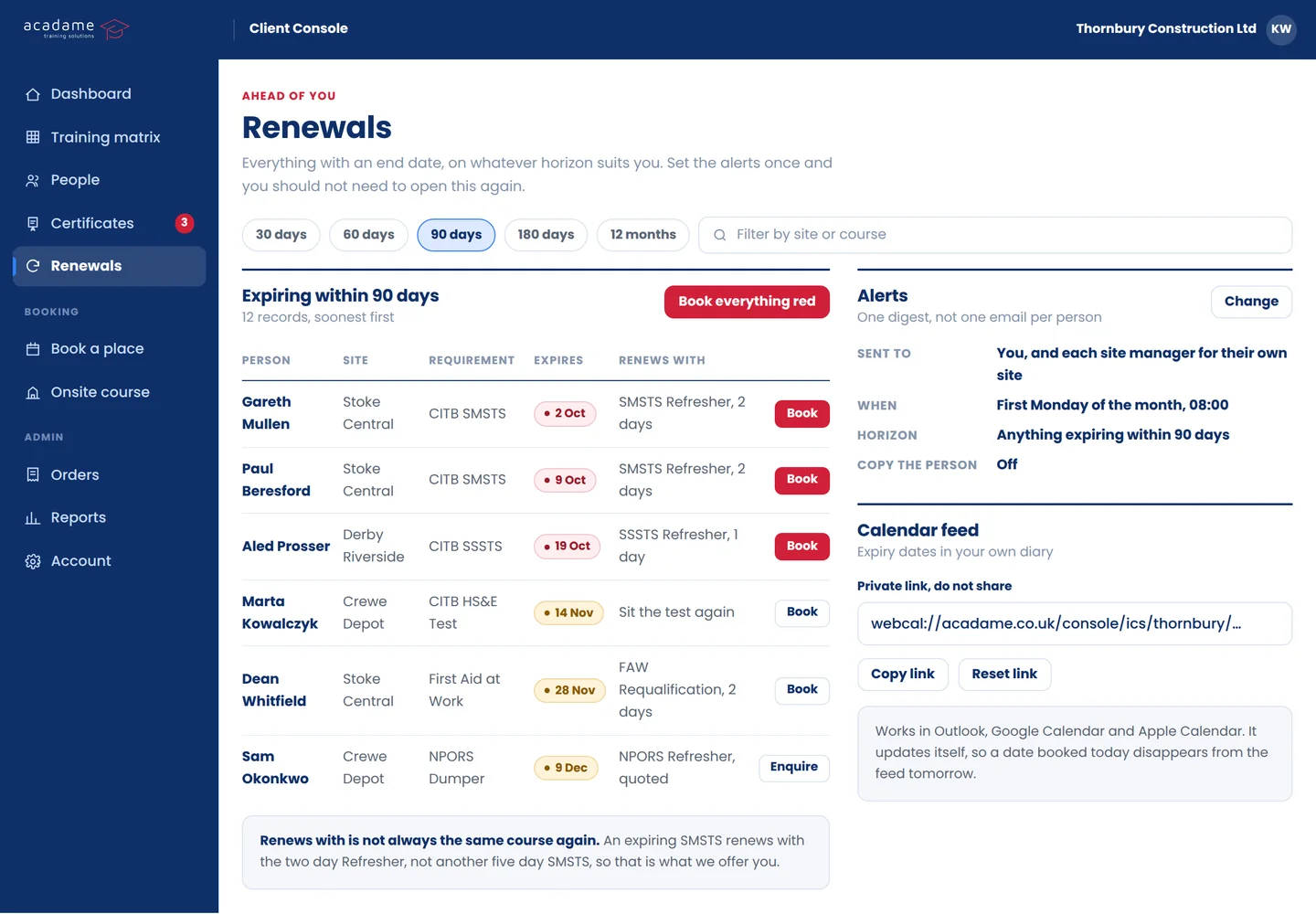
Filed against the person they belong to as soon as they are issued, whoever awarded them. Download one, or a zip for a whole site.
The ones we did not issue get in too, so the record is the full picture rather than only the part you bought from us.
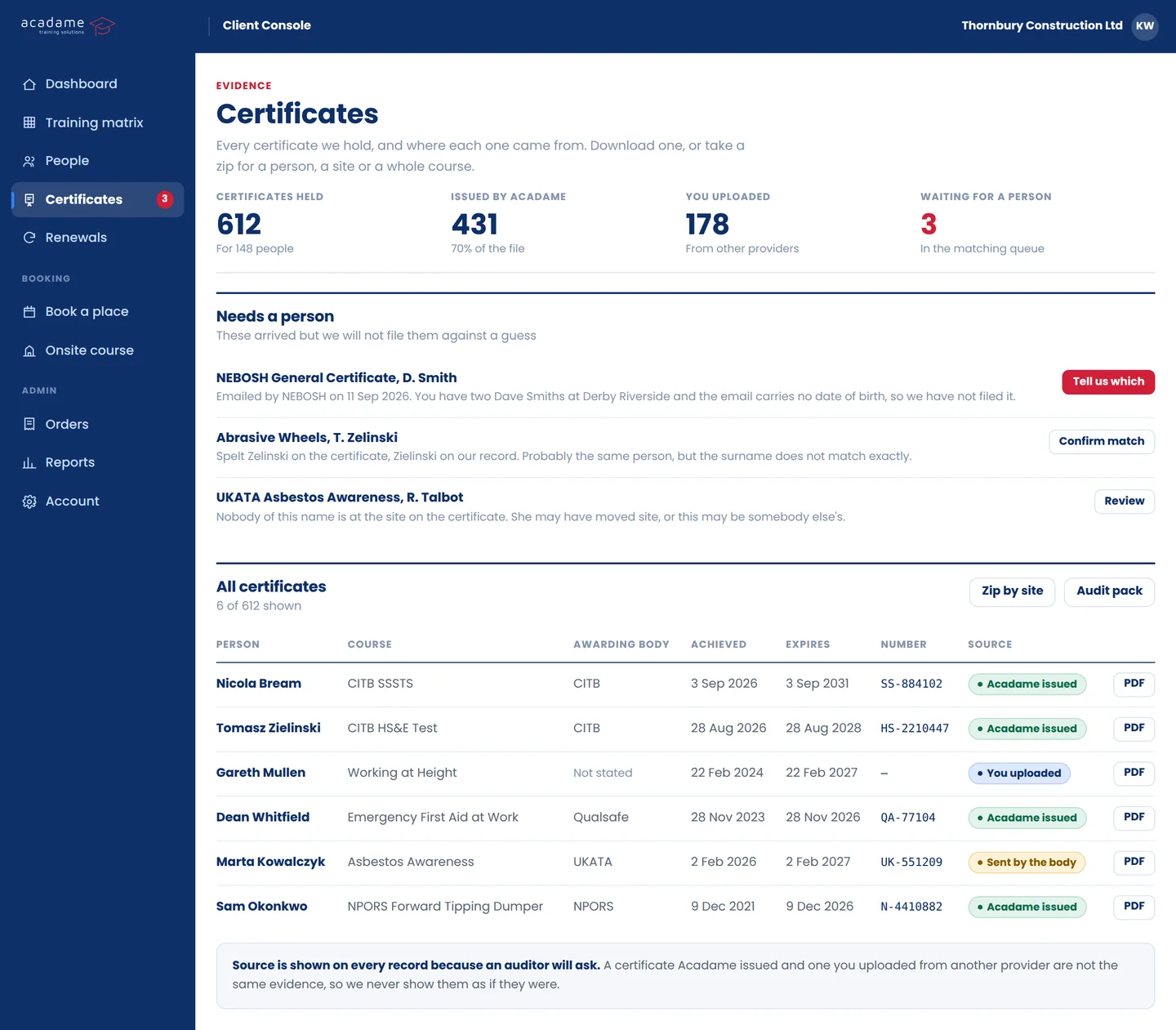
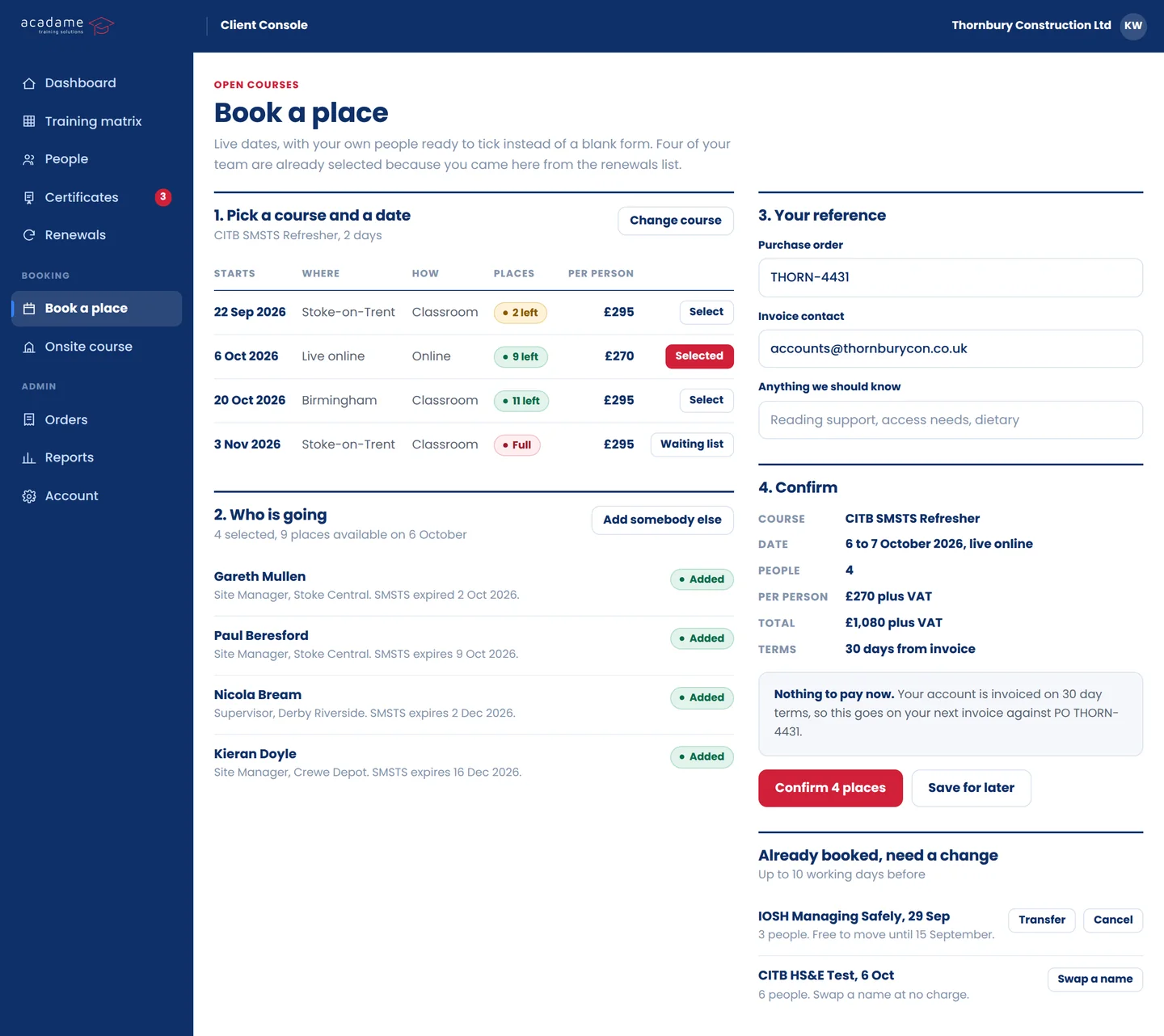
Live dates, with your own people ready to tick rather than a blank form to fill in. Add your purchase order reference and it carries through onto the invoice.
Transfer or cancel from the same screen.
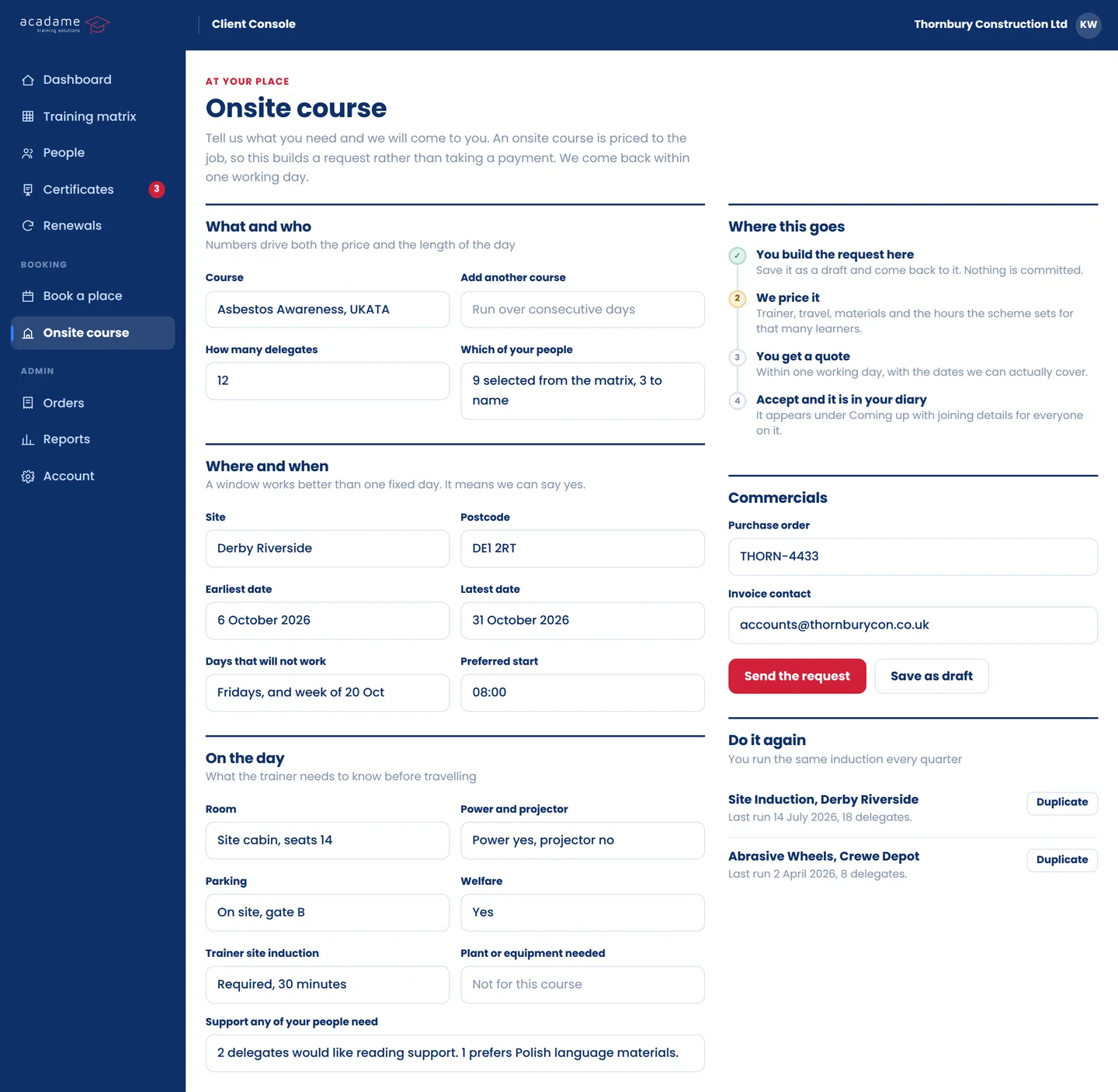
Tell us the course, how many people, the site postcode and a window of dates that works, and we come back with a price.
It asks about the room, the parking and the kit up front, because that is what decides whether we can actually run it on your site.
What is booked, who is on it, where it runs and what it came to.
No digging back through email for a confirmation from four months ago.
Each result filed against the delegate it belongs to, ready to download as soon as it is issued.
One place to send an auditor rather than a folder you have to rebuild.
Expiry dates tracked across your whole team.
A card runs out in your diary, with time to do something about it, rather than at the site gate on a Monday morning.
Leave your details and we will set your account up before it goes public, with your existing bookings already in it.
We will only use this to tell you when the Client Console opens. Read our privacy notice.