Your dates, our audience
People search Acadame every day for a course on a date that works, near a place they can get to.
Your scheduled courses sit in those results alongside ours, under your own name.
Your privacy
We use a few cookies to make the site work. We also count page views so we can see which courses people find useful. That counting is anonymous, it stays with us, and you can switch it off under Manage choices. Nothing for Google Analytics or advertising runs until you choose.
The same applies on our eLearning platform at acadame-online.com.
You can change this whenever you like from the footer of any page. Read our privacy and cookie policy

Partner Portal
The Partner Portal is where approved training providers put their own scheduled dates in front of the people already searching Acadame for them. You keep control of the detail, we bring the audience.
Not open yet. We are building it now.
Tell me when it opensAccounts are not open yet. Nothing on this page will ask you for a password.
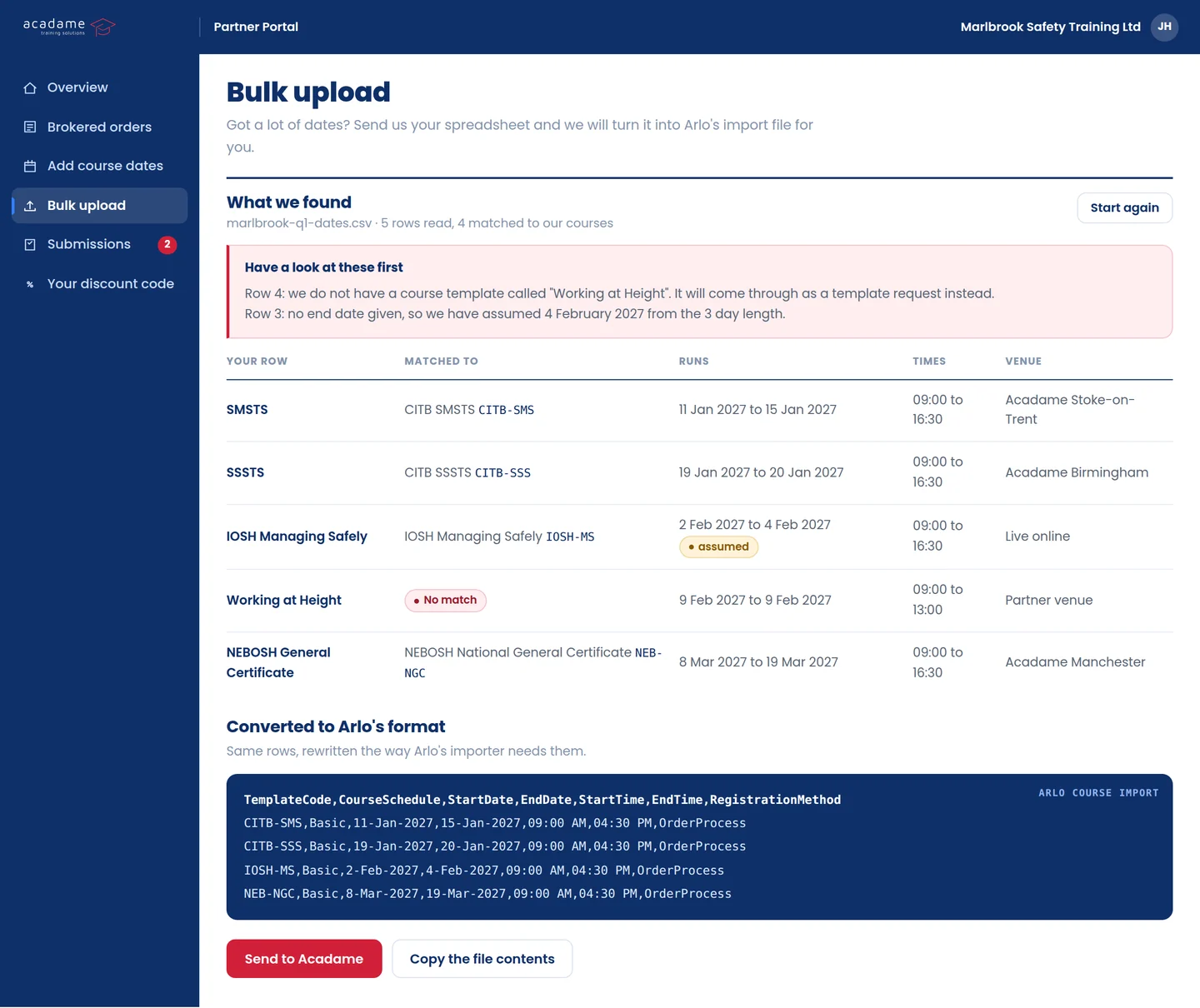
If your dates already live in a spreadsheet, send that. The portal reads it, matches every row to one of our course templates, and tells you what it could not match before anything reaches us.
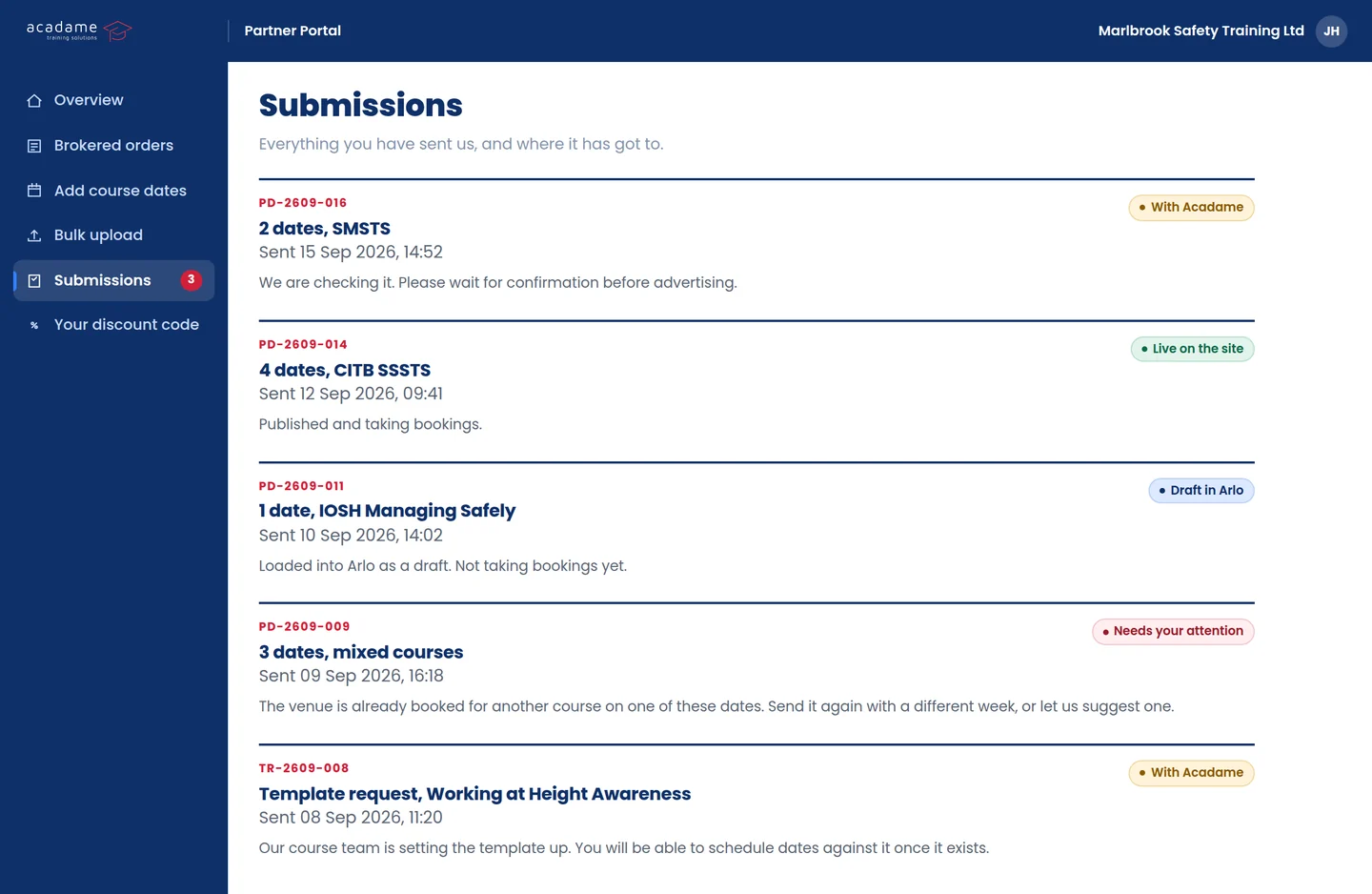
Nothing disappears into an inbox. Every submission carries a reference and a status, from with us, to draft in Arlo, to live on the site.
People search Acadame every day for a course on a date that works, near a place they can get to.
Your scheduled courses sit in those results alongside ours, under your own name.
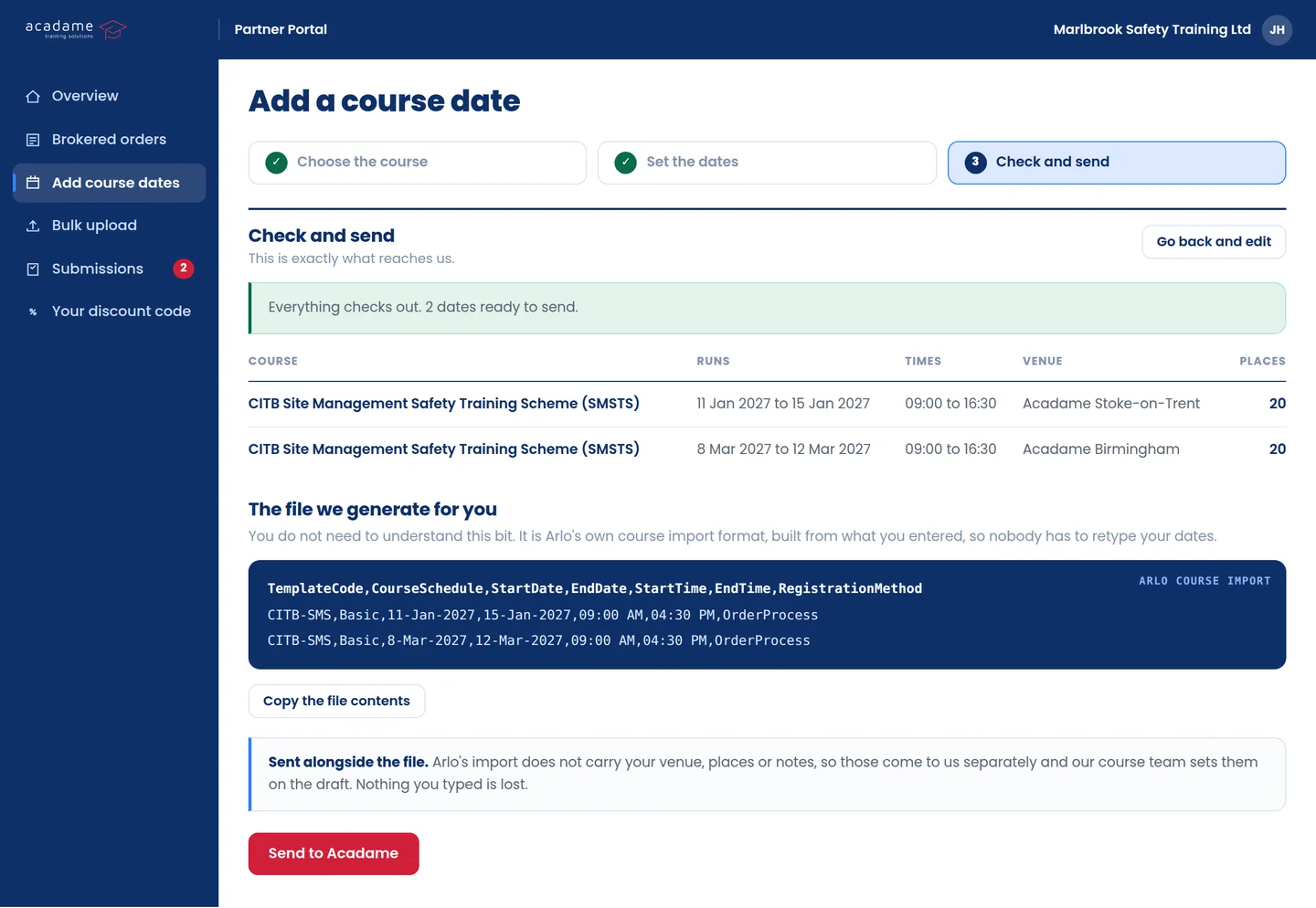
Add a date, change a venue, close a course once it fills.
What you change is what a visitor sees, without waiting on anybody here to do it for you.
We check accreditation and insurance before an account is opened.
A date on Acadame carries our name as well as yours, so it has to be right.
Leave your details and we will come to you first, with what we need to see and what it costs.
We will only use this to tell you when the Partner Portal opens. Read our privacy notice.